
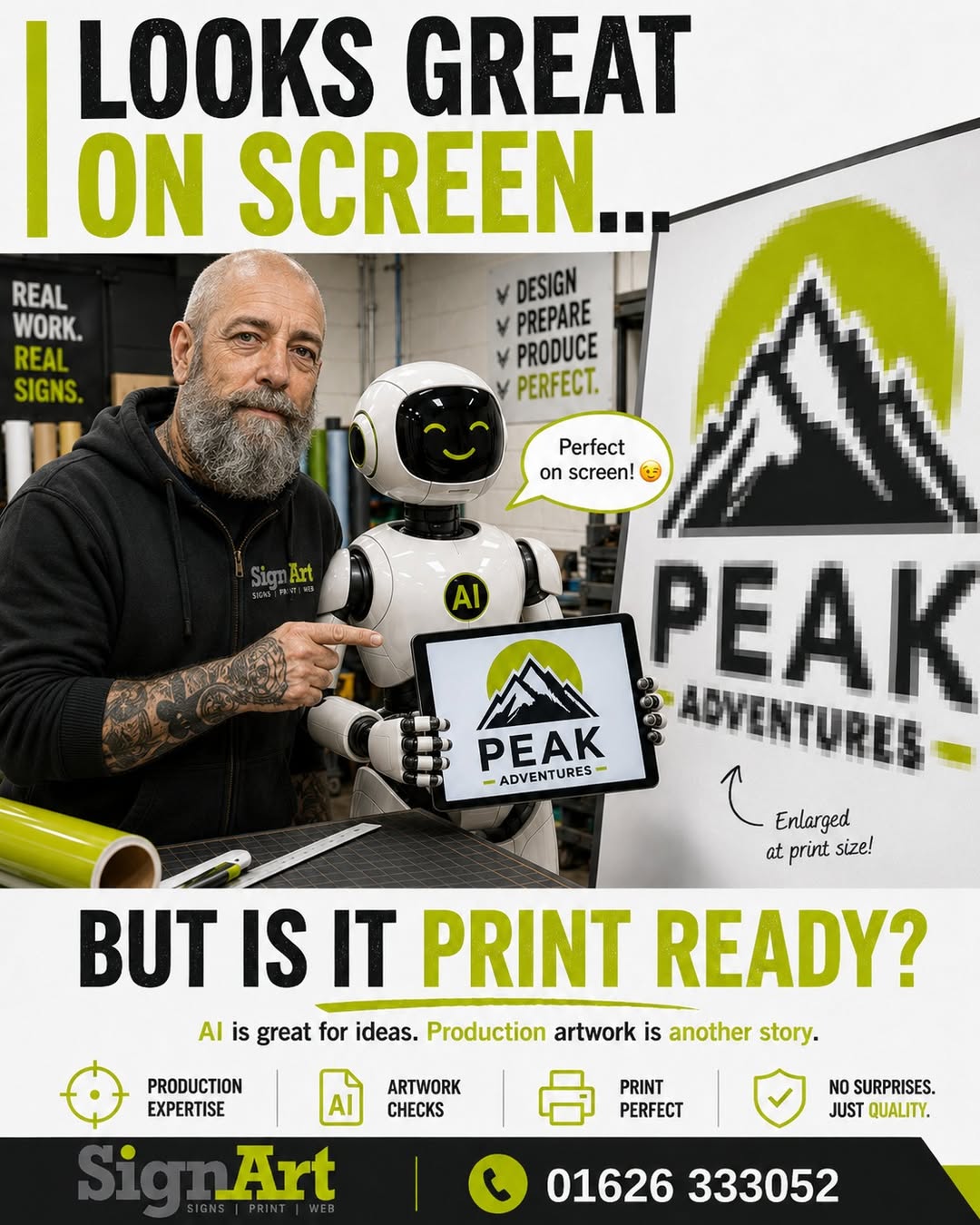
Looks Great on Screen… But Is It Print Ready?
AI is great for ideas.
Production artwork is another story.
“Looks great on your screen…”
“Perfect! Print it big!”
“Not so perfect at 6 feet wide!”
“It looked perfect on my phone…”
We’re hearing that one a lot more lately! 😝
AI tools such as ChatGPT are brilliant for coming up with ideas, trying different styles and showing us roughly what you’ve got in mind. But there’s an important difference between an image that looks good on a screen and artwork that’s ready to print. A small JPG or PNG might look absolutely fine on your phone or laptop — then start looking decidedly ropey when we enlarge it for a shop sign, banner or vehicle graphic. For production we may need to redraw the logo, convert artwork to vector, rebuild parts of the design or prepare it properly at the size it’s actually going to be used. So by all means use AI to get the idea out of your head and onto the screen.
Then send it to someone who knows how to get it off the screen and onto a sign. 😉
Why Does It Go Pixelated?
Screen images, such as JPG or PNG files, are made from tiny little squares called pixels. When you make an image bigger, those squares get bigger too. That’s when the image starts to look blocky or blurry.
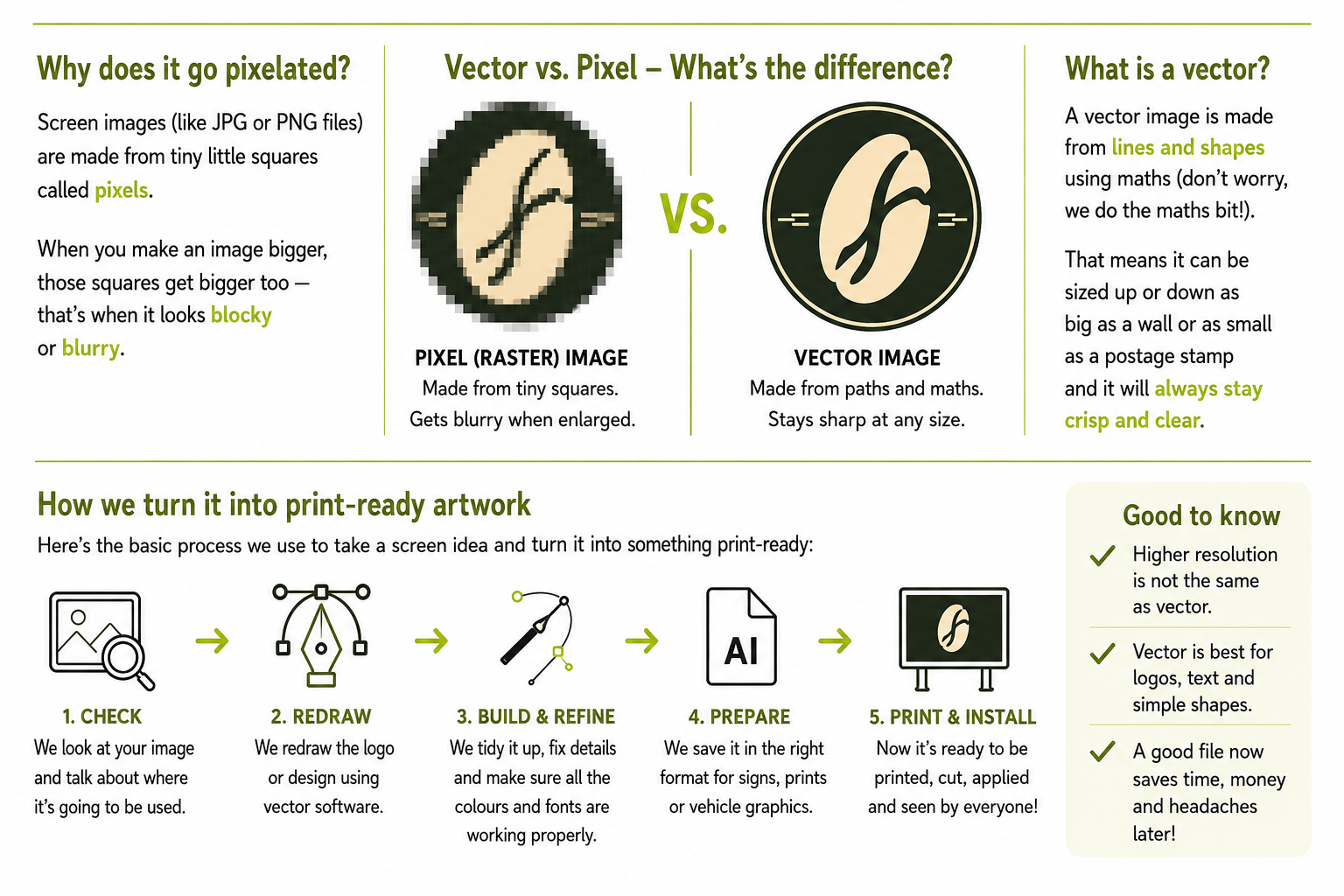
Vector vs Pixel – What’s the Difference?
Pixel (Raster) Image
Made from tiny squares.
Gets blurry when enlarged.
Vector Image
Made from paths, lines and shapes.
Stays sharp at virtually any size.
What Is a Vector?
A vector image is made from lines and shapes using maths.
Don’t worry — we do the maths bit!
Instead of remembering thousands of individual coloured pixels, the file contains instructions that tell the computer how to draw the shapes.
That means the artwork can be sized up or down — from something as small as a postage stamp to something as large as a shop sign — and it will stay crisp and clear.
This makes vector artwork particularly useful for logos, lettering, signs and vehicle graphics.
How We Turn It Into Print-Ready Artwork
Here’s the basic process we use to take a screen idea and turn it into something ready for production.
1. Check
We look at your image and talk about where it’s going to be used.
2. Redraw
We redraw the logo or design using vector software where necessary.
3. Build & Refine
We tidy it up, fix details and make sure the colours, shapes and fonts are working properly.
4. Prepare
We save the artwork in the correct format for signs, print or vehicle graphics.
5. Print & Install
Now the artwork is ready to be printed, cut, applied and seen at the size it was intended for.
Good to Know
- Higher resolution is not the same as vector.
- Vector artwork is particularly good for logos, text and simple shapes.
- A good artwork file at the start can save time, money and problems later.
Sign Art, Newton Abbot
Signs • Vehicle Graphics • Print
01626 333052
Signs | Print | Web